
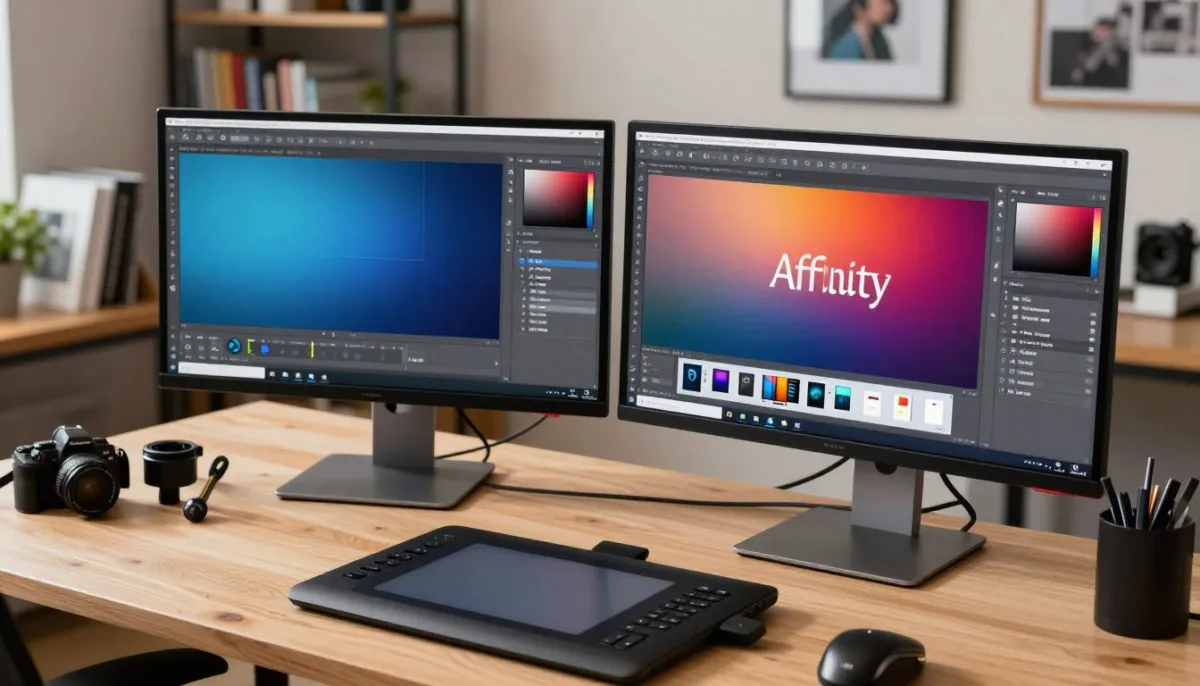
Choosing the right software for your creative workflow is a pivotal decision. Whether you are a seasoned professional or a passionate hobbyist, the tools you select define your artistic output. Today, the debate regarding affinity photo vs photoshop remains a hot topic in the digital design community.
Both platforms offer powerful features, yet they cater to different needs and budgets. Understanding the core differences is essential to ensure your software aligns with your specific technical requirements. We will break down these industry leaders to help you make an informed choice for your next project.
Choosing the right image editing tool can be challenging. By comparing Affinity Photo and Photoshop, we can make the decision easier. Let’s take a closer look at which application offers the best value and performance for your creative needs.
Key Takeaways
- Adobe offers an industry-standard subscription model with deep integration.
- Affinity provides a cost-effective, one-time purchase option for creators.
- Both suites support advanced layer-based editing and non-destructive workflows.
- Performance speeds vary depending on your hardware and specific project complexity.
- Choosing the right tool depends on your long-term budget and feature needs.
The Evolution of Digital Photo Editing
To understand the modern creative landscape, we must look back at how image manipulation software has evolved over the decades. In the early days, digital editing was restricted to expensive, hardware-locked systems that only large studios could afford. This technological shift paved the way for the accessible, high-performance desktop applications that define our current affinity photo vs photoshop comparison.
As computing power grew, the industry moved away from proprietary hardware toward versatile software solutions. This transition democratized photography, allowing hobbyists and professionals alike to manipulate images with unprecedented precision. Today, the market offers a variety of powerful tools that cater to different budgets and creative needs.
Understanding this history provides the necessary context for why the affinity photo vs photoshop comparison remains so relevant to modern workflows. Whether you prefer a subscription-based model or a one-time purchase, the evolution of these tools has fundamentally changed how we approach digital art. Choosing the right software is no longer just about power; it is about finding the perfect fit for your unique creative process.
Understanding the Affinity Photo vs Photoshop Landscape
The debate surrounding affinity photo vs photoshop has become a central theme for digital artists today. While both programs offer robust tools for image manipulation, they cater to distinctly different segments of the creative community. Understanding these differences is the first step toward building a more efficient workflow.
Adobe Photoshop has long held the title of the industry standard, serving professional studios and high-end commercial photographers. Its ecosystem is built for those who require deep integration with other creative apps and cloud-based services. Consistency and power are the hallmarks of the Adobe experience, making it a staple in professional environments.
On the other hand, Serif’s Affinity Photo has emerged as a powerful challenger by focusing on a different user base. It is particularly popular among freelancers, independent creators, and hobbyists who prefer a streamlined, one-time purchase model. When evaluating the affinity photo vs photoshop landscape, it becomes clear that Serif prioritizes performance and accessibility over the complex subscription-based ecosystem of its rival.
Choosing the right software often comes down to your specific professional goals and budget constraints. While one platform offers an expansive suite of interconnected tools, the other provides a focused, high-performance environment that avoids recurring costs. By carefully analyzing the affinity photo vs photoshop market, you can determine which tool aligns best with your unique creative journey.
Adobe Photoshop: The Industry Standard Powerhouse
Few software applications have shaped the creative industry as profoundly as Adobe Photoshop. It remains the primary benchmark for professionals who require absolute precision and power in their daily workflows. When considering the photoshop vs affinity photo debate, it is clear that Adobe’s offering provides a depth of functionality that has been refined over several decades.
Core Strengths and Professional Toolset
The true power of this software lies in its unrivaled toolset, which caters to the most demanding creative needs. Professionals rely on advanced layer management, sophisticated masking, and a vast array of retouching capabilities that handle complex tasks with ease. Recent updates have introduced AI-powered features, such as Generative Fill, which drastically reduce the time spent on tedious manual edits.
These tools allow artists to push the boundaries of their imagination without technical limitations. Whether you are performing high-end skin retouching or intricate digital compositing, the software provides the stability required for commercial projects. This reliability is a major factor when users analyze the photoshop vs affinity photo landscape.
The Subscription Model and Creative Cloud Ecosystem
Beyond the individual application, the Creative Cloud ecosystem offers a seamless experience for modern creators. By utilizing a subscription model, Adobe ensures that users always have access to the latest updates and cloud-based storage solutions. This integration allows for effortless collaboration across various devices and other Adobe applications like Lightroom or Illustrator.
The ecosystem approach simplifies file management and project synchronization for teams working in fast-paced environments. While some users prefer a one-time purchase, the subscription model provides a consistent stream of innovation that keeps the software at the cutting edge. The following table highlights why many professionals choose this ecosystem over alternatives like the photoshop vs affinity photo comparison might suggest.
Feature Comparison Overview
| Feature Category | Adobe Photoshop | Professional Benefit |
|---|---|---|
| AI Integration | Advanced Generative AI | High efficiency in complex edits |
| Cloud Ecosystem | Full Creative Cloud Sync | Seamless multi-device workflow |
| Industry Status | Global Standard | Universal file compatibility |
| Update Frequency | Continuous Updates | Access to latest tech trends |
Affinity Photo: The Disruptive One-Time Purchase
The landscape of photo editing shifted significantly when a high-performance, one-time purchase tool entered the market. By removing the requirement for recurring payments, this software has forced a new conversation regarding the photoshop vs affinity photo comparison. Many users now find that they can achieve professional results without the ongoing financial commitment of a subscription model.
Performance and Non-Destructive Editing Capabilities
At its core, the software is built on a robust engine designed for speed and efficiency. It handles complex, multi-layered projects with remarkable fluidity, ensuring that your workflow remains uninterrupted even when working with massive files. This performance is a major factor for those weighing the photoshop vs affinity photo debate.
The application excels in its non-destructive editing workflow. You can apply adjustments, filters, and effects while keeping your original image data completely intact. This professional-grade flexibility allows artists to experiment freely, knowing they can revert or tweak any change at any stage of the creative process.
Accessibility for Freelancers and Hobbyists
For freelancers and hobbyists, the barrier to entry is often defined by cost and ease of use. This software provides a high-performance solution that fits perfectly into a tighter budget. It democratizes access to advanced tools that were once reserved for those with large corporate budgets.
The following table highlights why many users are shifting their perspective on the photoshop vs affinity photo choice:
| Feature | Affinity Photo | Standard Industry Model |
|---|---|---|
| Pricing Model | One-time purchase | Monthly subscription |
| Performance | High-speed engine | Optimized cloud-based |
| Editing Style | Non-destructive | Non-destructive |
| Target User | Freelancers/Hobbyists | Enterprise/Pro |
Ultimately, the choice depends on your specific project needs and financial goals. By offering a powerful alternative, the software ensures that creativity is not limited by the size of your wallet. It remains a compelling choice for anyone looking to maximize their output while minimizing overhead costs.
Comparing Key Features for Professional Photographers
Professional photographers often weigh technical precision against workflow speed when choosing their primary editing software. An affinity photo vs photoshop comparison reveals that while both platforms offer robust toolsets, their underlying architectures cater to slightly different production needs. Understanding these differences is essential for anyone looking to streamline their high-end image output.
Layer Management and Masking Precision
Layer management serves as the backbone of any professional editing session. Photoshop provides a highly refined system that handles hundreds of layers with ease, utilizing advanced smart objects to keep edits non-destructive. Affinity Photo matches this capability by offering a live, real-time preview of adjustments, which allows for instant feedback during complex compositing tasks.
When it comes to masking, precision is non-negotiable. Photoshop’s “Select and Mask” workspace remains the gold standard for hair and fine detail extraction. However, Affinity Photo offers a highly intuitive refinement brush that performs exceptionally well for most professional masking requirements.
RAW Processing and Color Grading Workflows
The RAW processing engine determines the initial quality of your digital negative. Photoshop relies on Adobe Camera Raw, which is widely praised for its deep integration with Lightroom and extensive color science profiles. This makes it a preferred choice for photographers who need consistent color grading across large batches of images.
Affinity Photo utilizes its own “Develop Persona” for RAW files. This environment is entirely non-destructive and allows users to switch between editing modes without losing data. It is a powerful alternative for those who prefer a self-contained workflow without relying on external cataloging software.
“The best software is the one that disappears into the background, allowing the photographer to focus entirely on the creative intent of the image.”— Professional Photographer
Retouching Tools and AI-Powered Features
Modern retouching now leans heavily on AI to save time on repetitive tasks. Photoshop leads the market with its “Neural Filters” and “Generative Fill” capabilities, which can drastically reduce the time spent on skin retouching or background expansion. These tools are incredibly powerful for high-volume commercial work.
Affinity Photo focuses on manual precision tools that give the artist total control. While it lacks the deep generative AI suite found in Adobe products, its “Inpainting” brush is remarkably effective for removing unwanted objects. The following table highlights how these features stack up for the average user.
| Feature | Adobe Photoshop | Affinity Photo |
|---|---|---|
| Masking Precision | Industry Leading | Highly Intuitive |
| RAW Engine | Adobe Camera Raw | Develop Persona |
| AI Integration | Extensive/Generative | Focused/Manual |
| Workflow Speed | High (Batch) | High (Single) |
Ultimately, an affinity photo vs photoshop comparison highlights that both tools are capable of professional-grade results. Your choice should depend on whether you prioritize AI-driven automation or a streamlined, manual-focused environment.
Performance and Hardware Optimization
Comparing the technical demands of these two giants reveals how they handle your system’s resources. Whether you are a professional or a hobbyist, understanding how your software interacts with your hardware is essential for a smooth workflow. When analyzing affinity photo vs adobe photoshop, the differences in how they manage memory and processing power become quite clear.
Resource Usage on Windows and macOS
Adobe Photoshop is a mature application that has been optimized over decades to handle massive files. It utilizes a sophisticated scratch disk system to manage memory, which helps keep your system stable during complex edits. However, this can sometimes lead to significant storage demands on your primary drive.
In contrast, Affinity Photo is built on a modern engine designed for speed and efficiency. It often feels more responsive on mid-range hardware because it avoids the overhead of legacy code. Many users find that it provides a snappier experience when working with large RAW files or complex layer stacks on both Windows and macOS.
Multi-Platform Compatibility and iPad Integration
The landscape of mobile editing has shifted dramatically in recent years. Photographers now demand the ability to take their studio on the road without losing professional-grade tools. This is where the debate regarding affinity photo vs adobe photoshop takes an interesting turn, especially for iPad users.
Affinity Photo offers a full-featured version for the iPad that mirrors its desktop counterpart almost perfectly. You get the same non-destructive editing engine and toolset, making it a favorite for those who want a truly portable workstation. It is designed to leverage the touch interface and Apple Pencil, providing a seamless transition from desktop to tablet.
Adobe Photoshop on the iPad has evolved significantly, focusing on cloud-based collaboration and core retouching tasks. While it is highly efficient for quick edits and syncing files via Creative Cloud, some power users feel it still lacks the depth of features found in the desktop version. Choosing between them often depends on whether you prioritize a complete mobile studio or a streamlined cloud-connected workflow.
Learning Curve and Community Support
The path to proficiency in digital editing is paved with tutorials, forums, and hands-on practice. When evaluating affinity photo vs adobe photoshop, the ease of mastering the interface often dictates your long-term success. Both programs offer deep feature sets, but the way you access help can vary significantly.
Availability of Tutorials and Educational Resources
Adobe Photoshop benefits from decades of dominance, resulting in an unmatched library of third-party tutorials. You can find thousands of free videos, paid courses, and community forums dedicated to every niche technique imaginable. This vast ecosystem ensures that help is always just a quick search away.
Affinity Photo, while newer, has cultivated a highly dedicated user base. The developers provide excellent official documentation and video guides that are highly accessible for beginners. While the total volume of content is smaller than its competitor, the quality of community-driven support is often more focused and direct.
Transitioning Between Software Interfaces
Switching platforms can feel daunting, but many core concepts remain universal across the industry. If you are moving between tools, focus on identifying the equivalent shortcuts and layer management styles first. Most users find that the logic behind masking and adjustment layers is similar enough to make the transition manageable.
To minimize downtime, try working on a non-critical project during your first week of the switch. This allows you to explore the interface without the pressure of a looming deadline. Remember that affinity photo vs adobe photoshop comparisons often highlight different workflows, so stay patient as you build new muscle memory.
Learning Support Comparison
| Feature | Adobe Photoshop | Affinity Photo |
|---|---|---|
| Learning Resources | Extensive/Global | Growing/Focused |
| Community Forums | Very Active | Highly Supportive |
| Official Training | Comprehensive | High-Quality Guides |
Integration and Workflow Compatibility
When comparing the photoshop vs affinity photo landscape, workflow integration stands out as a critical factor for success. Professional photographers often rely on a complex ecosystem of specialized tools, color profiles, and external hardware. A software package is only as good as its ability to communicate with the rest of your digital studio.
File Format Support and Export Options
Adobe Photoshop remains the industry leader for native file compatibility. It handles complex PSD files with layers, smart objects, and adjustment groups perfectly, which is essential for collaborative environments. While Affinity Photo can open and save PSD files, it occasionally struggles with proprietary Adobe features like advanced layer styles or specific text engine data.
Both programs offer robust support for standard formats like TIFF, JPEG, and PNG. However, export flexibility is where the two diverge. Photoshop provides a highly granular “Export As” menu that is optimized for web and print production. Affinity Photo offers a unique “Export Persona,” which allows users to slice and export multiple assets simultaneously, a feature that many designers find incredibly efficient.
Third-Party Plugin Compatibility
The availability of third-party plugins is a major differentiator in the photoshop vs affinity photo debate. Photoshop has a massive library of professional-grade plugins for retouching, noise reduction, and creative effects. Most developers prioritize Adobe compatibility, meaning you will rarely find a tool that does not work within the Photoshop environment.
Affinity Photo supports many standard Photoshop plugins, but the experience is not always seamless. Some complex plugins that rely on deep integration with Adobe’s proprietary engine may fail to load or function correctly. If your workflow depends on specific high-end retouching suites, you should verify their compatibility before making a final decision.
“The true value of an editing tool is not just in its features, but in how easily it fits into the existing rhythm of a professional’s daily production.”
Workflow Compatibility Comparison
| Feature | Adobe Photoshop | Affinity Photo |
|---|---|---|
| PSD Compatibility | Native/Perfect | Good (Some limitations) |
| Plugin Support | Extensive/Universal | Limited/Selective |
| Export Workflow | Standardized/Professional | Persona-based/Efficient |
Cost Analysis and Long-Term Value
Understanding the true cost of your editing suite requires looking beyond the initial price tag. When conducting an affinity photo vs photoshop comparison, the financial structure of each platform reveals distinct advantages for different types of users.
Subscription Costs vs Perpetual Licensing
Adobe Photoshop operates on a recurring subscription model, which ensures you always have access to the latest features and cloud storage. While this provides constant updates, the monthly fees accumulate significantly over several years of professional use.
In contrast, Affinity Photo utilizes a perpetual licensing model. You pay a single upfront fee to own the software indefinitely. This approach is often more attractive for freelancers or hobbyists who prefer to avoid ongoing monthly expenses.
Hidden Costs and Update Cycles
Beyond the base price, consider the hidden costs associated with each ecosystem. Photoshop users often rely on Adobe Creative Cloud storage, which may require additional fees as your project library grows. Furthermore, the software requires a consistent internet connection for license verification.
Affinity Photo offers free updates within major versions, though you may eventually pay for a major version upgrade. When performing an affinity photo vs photoshop comparison, it is vital to calculate your total cost of ownership over a three-year period to see which model fits your budget best.
Cost Comparison Overview
| Cost Factor | Adobe Photoshop | Affinity Photo |
|---|---|---|
| Initial Investment | $0 (Subscription) | One-time fee |
| 3-Year Total Cost | High (Recurring) | Low (Fixed) |
| Cloud Storage | Included/Extra | Not included |
| Update Policy | Continuous | Version-based |
Conclusion
Selecting the right software for your digital darkroom requires a clear look at your professional goals. The debate regarding affinity photo vs photoshop often centers on whether you prioritize a vast ecosystem or a streamlined, one-time investment.
Adobe Photoshop remains the gold standard for studios that rely on deep integration with Creative Cloud services. Its extensive toolset supports complex pipelines and collaborative projects that define modern creative agencies.
Affinity Photo provides a powerful alternative for independent artists who value efficiency and budget control. Its performance on modern hardware makes it a strong contender for those who prefer perpetual licensing over recurring monthly fees.
Your choice depends on your specific workflow needs and how you manage your business expenses. Both platforms offer professional-grade results for retouching, compositing, and color grading.
Take a moment to evaluate your current project requirements and long-term financial plans. Testing both tools will reveal which interface feels more natural for your creative process. Whether you choose the industry-leading features of Adobe or the disruptive value of Serif, your photography will benefit from the precision these applications provide.
FAQ
What is the primary difference in the affinity photo vs photoshop comparison for daily users?
The most significant difference lies in the pricing model. Adobe Photoshop operates on a Creative Cloud subscription, which requires a monthly or annual fee to maintain access. In contrast, Affinity Photo by Serif is sold as a one-time purchase with a perpetual license, making it a very attractive option for those who want to avoid recurring costs while still accessing professional-grade tools.
Is Affinity Photo powerful enough to replace Adobe Photoshop for professional work?
Yes, for many photographers and retouchers, Affinity Photo is a highly capable replacement. It offers a robust non-destructive editing engine, advanced RAW processing, and sophisticated layer management. While Adobe Photoshop remains the industry standard due to its long history and deep integration with other Adobe apps, Affinity Photo provides nearly all the essential tools required for high-end commercial work.
How does the performance of photoshop vs affinity photo differ on older hardware?
Affinity Photo was built from the ground up on modern code, which often results in faster performance and smoother zooming or panning, even on less powerful machines. Adobe Photoshop, while incredibly powerful, carries decades of legacy code and can be more resource-intensive, particularly regarding RAM and GPU usage during complex tasks involving AI-powered features.
Can I open and edit Photoshop files (PSD) in Affinity Photo?
Absolutely! One of the strongest points in the affinity photo vs adobe photoshop debate is compatibility. Affinity Photo offers excellent support for PSD files, preserving layers, masks, and most adjustment layers. This makes it much easier for freelancers to collaborate with clients who still use the Adobe ecosystem.
Does Affinity Photo have the same AI capabilities as Adobe Photoshop?
Currently, Adobe Photoshop leads the market in generative AI features, such as Generative Fill and Generative Expand, powered by Adobe Firefly. While Affinity Photo includes smart tools for frequency separation, content-aware filling, and complex selections, it does not yet have the same level of cloud-based generative AI integration found in the latest Creative Cloud updates.
Which software offers a better experience on the iPad?
While both brands offer mobile versions, many users find that the Affinity Photo iPad app is a more complete “desktop-class” experience. It mirrors the desktop interface almost exactly, providing the full suite of tools on the go. Adobe Photoshop for iPad has improved significantly and offers great cloud syncing, but some users feel it is still a streamlined version of its desktop counterpart.
How difficult is the learning curve when switching between photoshop vs affinity photo?
The transition is surprisingly manageable. Because Affinity Photo was designed to appeal to the same demographic as Adobe Photoshop, many of the keyboard shortcuts, tool behaviors, and terminology are very similar. While there are slight differences in the “Persona” based workflow of Affinity, most experienced users can become proficient in the new interface within a few days of practice.
Are third-party plugins like Nik Collection or Topaz Labs compatible with both?
Adobe Photoshop has the widest support for third-party plugins, as it is the platform most developers prioritize. However, Affinity Photo does support many 64-bit Photoshop-compatible plugins. While most popular tools from DxO or Topaz Labs work well, it is always best to check the specific compatibility list on the Serif forums before making the switch.